
Add your first workflow
An agent is for chatting. A workflow is for jobs: work that runs as a list of steps and finishes on its own, even if something restarts along the way. You'll add one, run it, and watch each step complete.
What a workflow is
A workflow is a small job broken into steps. Each step runs once and its result is saved. If the process stops halfway through and starts again, the workflow picks up from the next unfinished step instead of redoing everything.
That makes workflows a good fit for work that takes a while, runs on a schedule, or must not run twice by accident. You send it some input, it works through its steps, and it ends with a result.
Add one to your project
You don't need a new project. Add a workflow to the one you already have:
stackbone add workflow helloThis writes one new file, workflows/hello.workflow.ts, and leaves the rest of
your project untouched. If stackbone dev is still running, it notices the new
file right away. If you stopped it, start it again with stackbone dev.
See it in the dashboard
In Studio's left menu, open Workflows. Your new workflow shows up with its steps and the address you can call to start it:
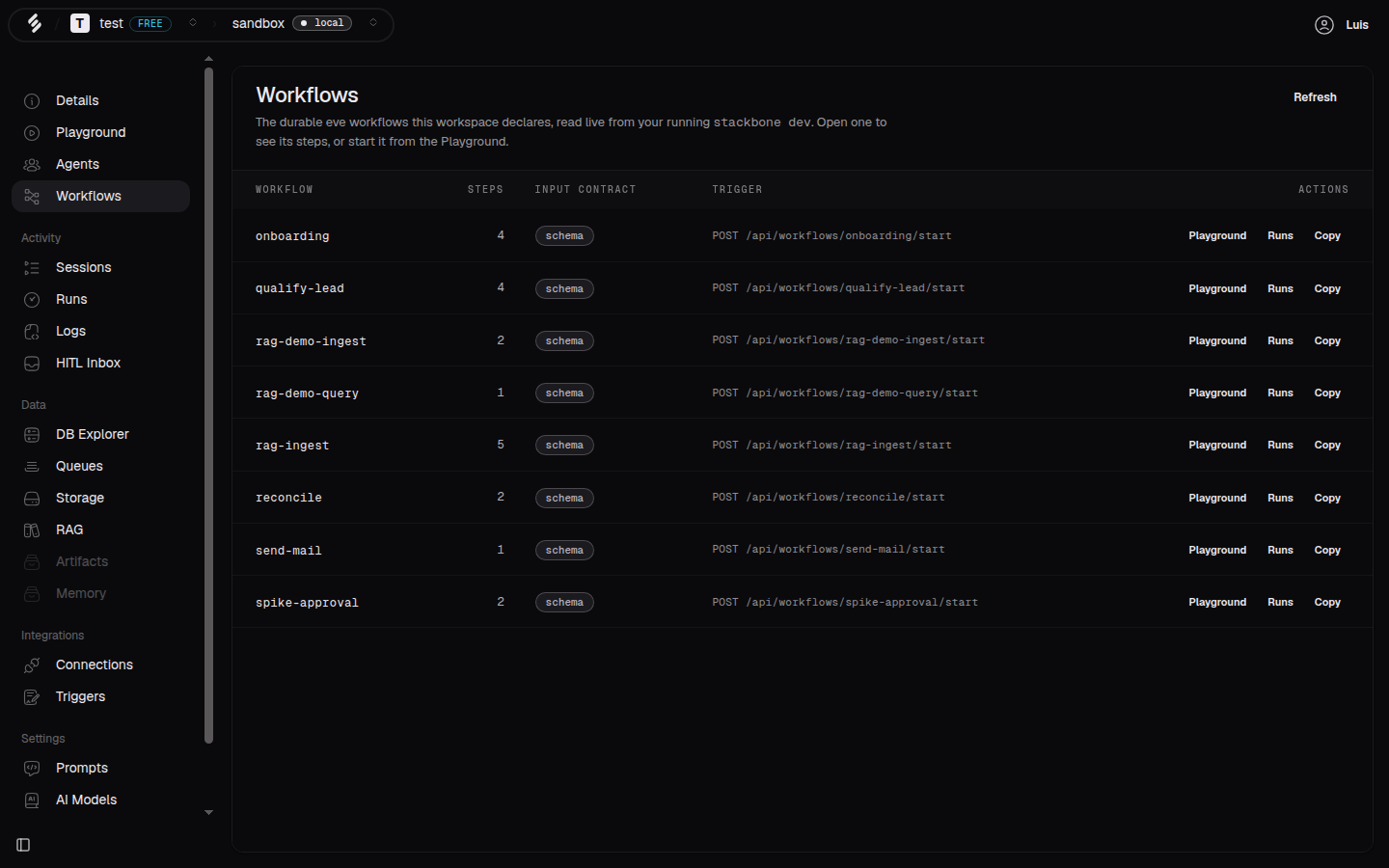 Your workflows, read live from your running project.
Run it
The easiest way to start it is from Playground. Pick your workflow from the target picker, fill in the example input it shows, and click Run.
Prefer the terminal? Start it by name. The input is checked against what the workflow expects, so match the fields the Playground showed you:
stackbone workflows start hello --input '{}'Either way, you get back a run: one execution of the workflow you can follow.
Watch it finish
Open Runs in the left menu and click your run. You'll see each step in order, how long it took, and the input and output at every stage:
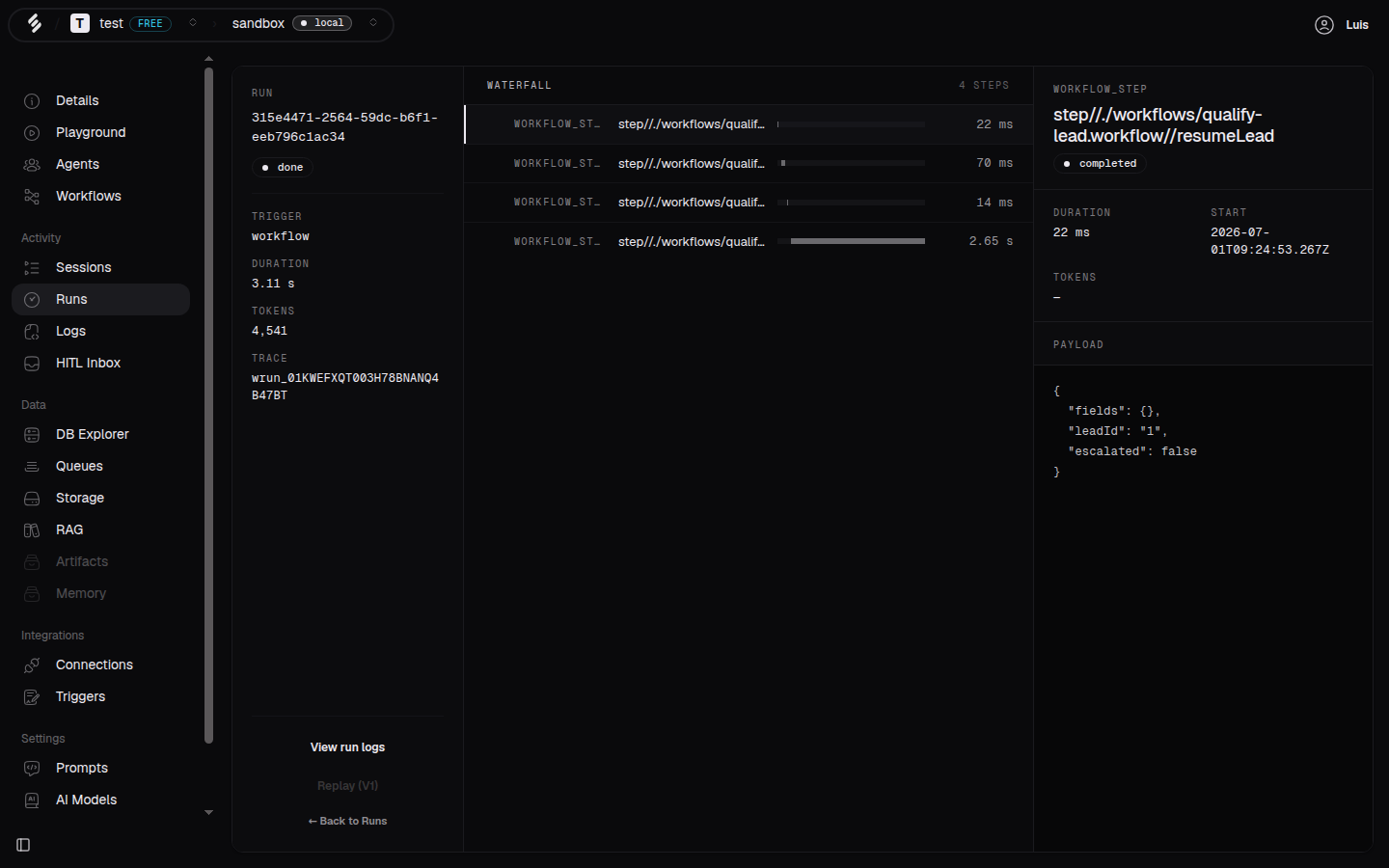 A finished run, step by step.
You can follow the same run from the terminal:
stackbone runs list
stackbone runs get <runId>
That's a durable job running end to end. Change the steps in
workflows/hello.workflow.ts and run it again to see your own logic flow
through.
What's next
- What's next: where to go from here.