
Welcome to Stackbone
New here? Start on this page. In about an hour you'll install the command-line tool, create a project, and chat with an AI agent running on your own machine. No cloud account balance, no servers to set up.
Stackbone lets you build an AI agent as a small folder of code, run it on your laptop, and ship it when it's ready. An agent is a program you talk to in plain language. It can answer questions, call your code, and remember the conversation.
You don't need to know how any of it works under the hood to finish this guide. You'll copy a few commands, and by the end you'll have something like this: a real agent replying to you in the browser.
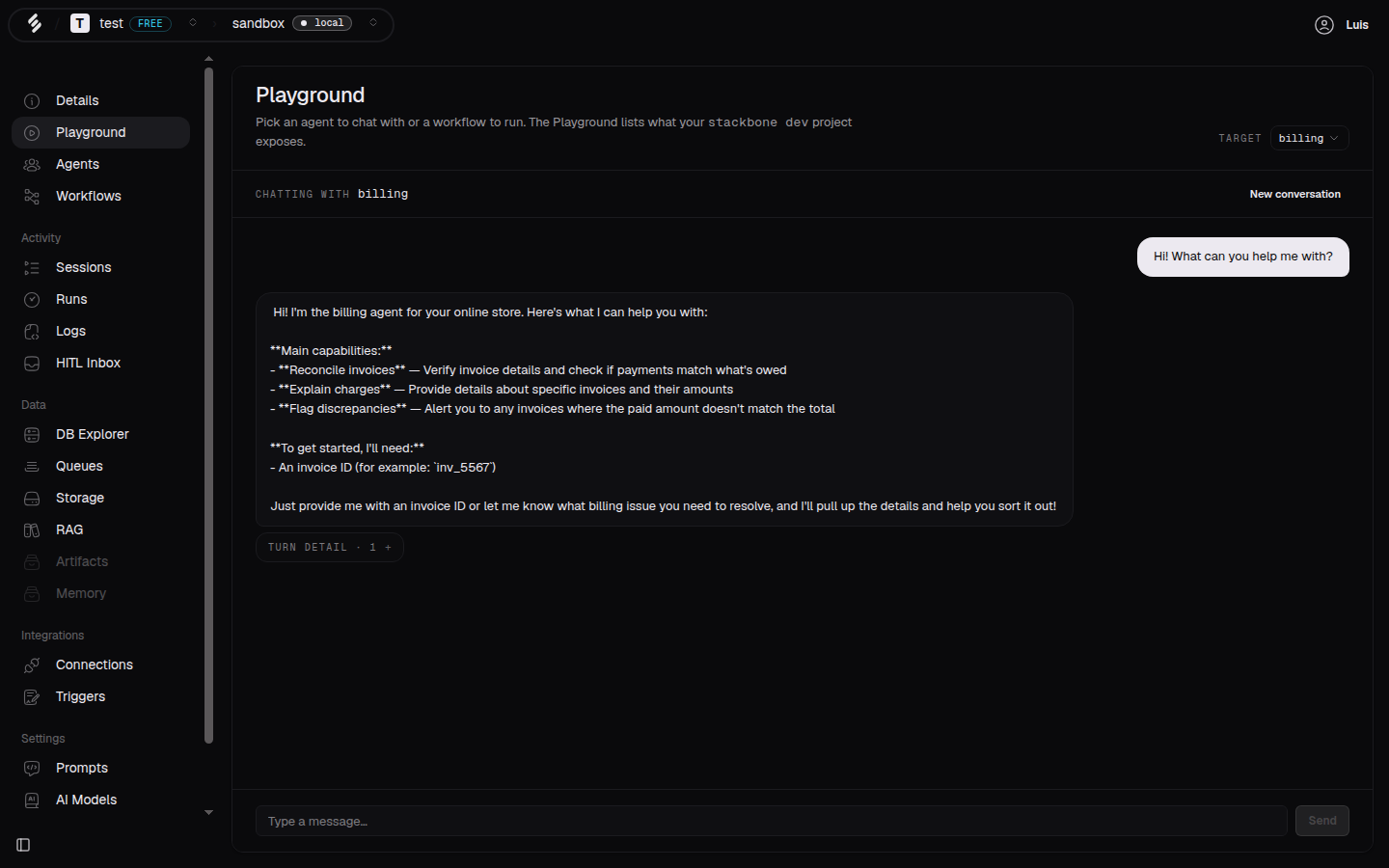 The Playground, where you chat with the agent you just built.
What you'll do
This section is a short, guided path. Follow the pages in order:
- Install the CLI: get the
stackbonecommand on your machine and sign in. - Create your first project: one command scaffolds a project with an agent inside.
- Run and chat with your agent: start everything locally and talk to your agent.
- Add your first workflow: add a job that runs in steps and finishes on its own.
- What's next: where to go once it works.
Each page is short. If you get stuck, every command has a --help flag and the
CLI reference covers the details.
Two things you can build
A Stackbone project holds two kinds of building block. You'll meet both in this guide.
- Agents are for conversation. You send a message, the agent replies, and it keeps the thread so you can keep talking. This is what you build first.
- Workflows are for jobs. A workflow runs as a list of steps and finishes even if the process restarts halfway through. You add one near the end.
Start with the agent. It's the fastest way to see something working.
What's next
- Install the CLI: the first real step.